
×

 Simple Hack to Move Your OpenVMS Apps to the Cloud
Your OpenVMS apps still matter. But but the VAX/Alpha hardware supporting them are old, fragile, and hard to maintain. Find the quickest, least disruptive fix that move the OpenVMS software applications to the cloud without making any changes to the applications. What changes: the obsolete hardware.
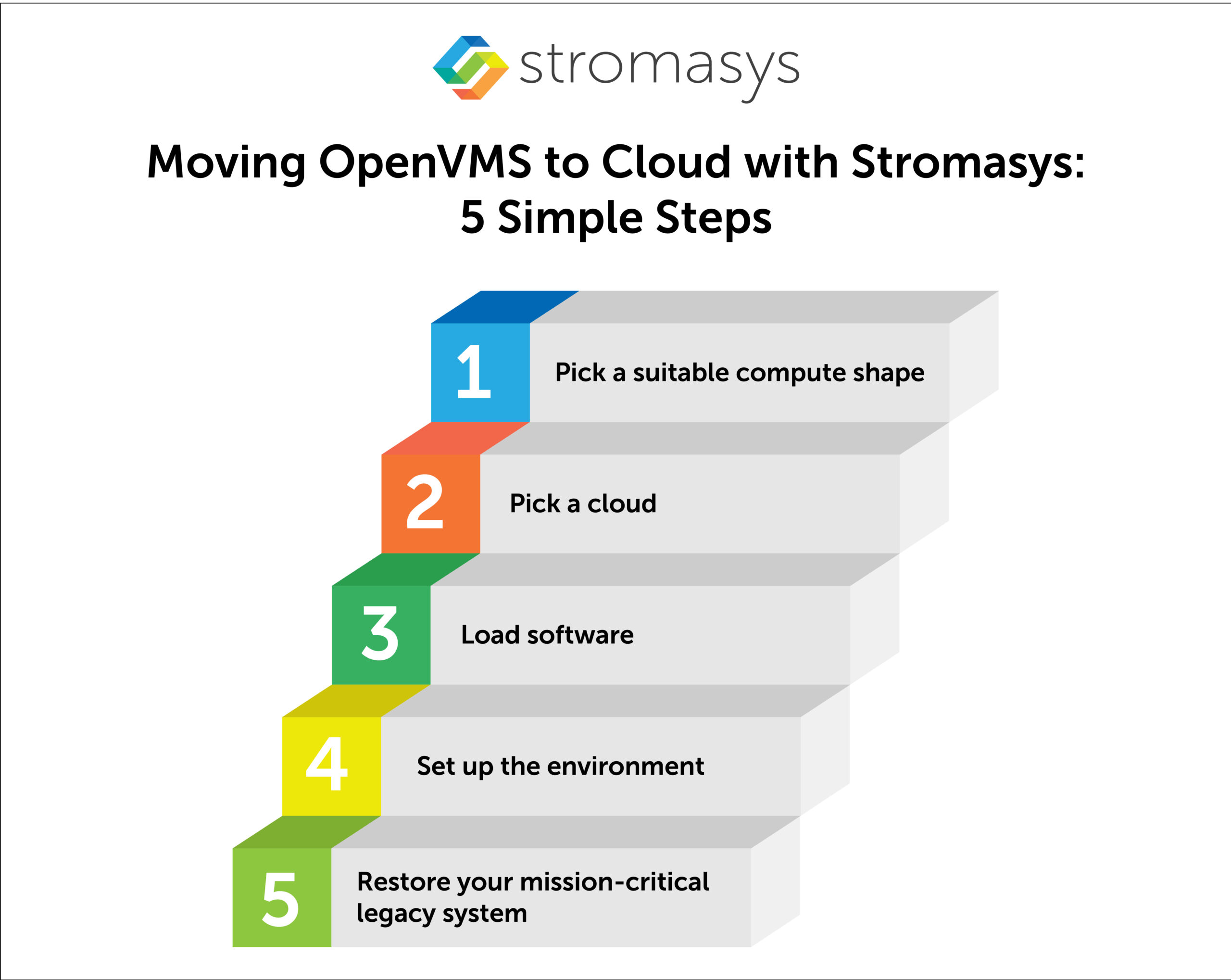
What to plan for: reach out to Stromasys, pick a cloud provider, right-size CPU/memory/storage, move large backups efficiently (often via physical import), secure user access, and run a clear test plan before and after cutover.
 Articles

Here, you will learn why the cloud can be a much better platform than the existing one. You will also get complete details of this transition, including the options, best strategy, and key considerations.
OpenVMS apps often reside on outdated VAX or Alpha computers that are beyond their life cycle. That means manufacturers no longer support these servers.
This creates real problems: Downtime increases, stability decreases, and without security patches, the risk of data breaches grows. And these challenges can interrupt your business operations.
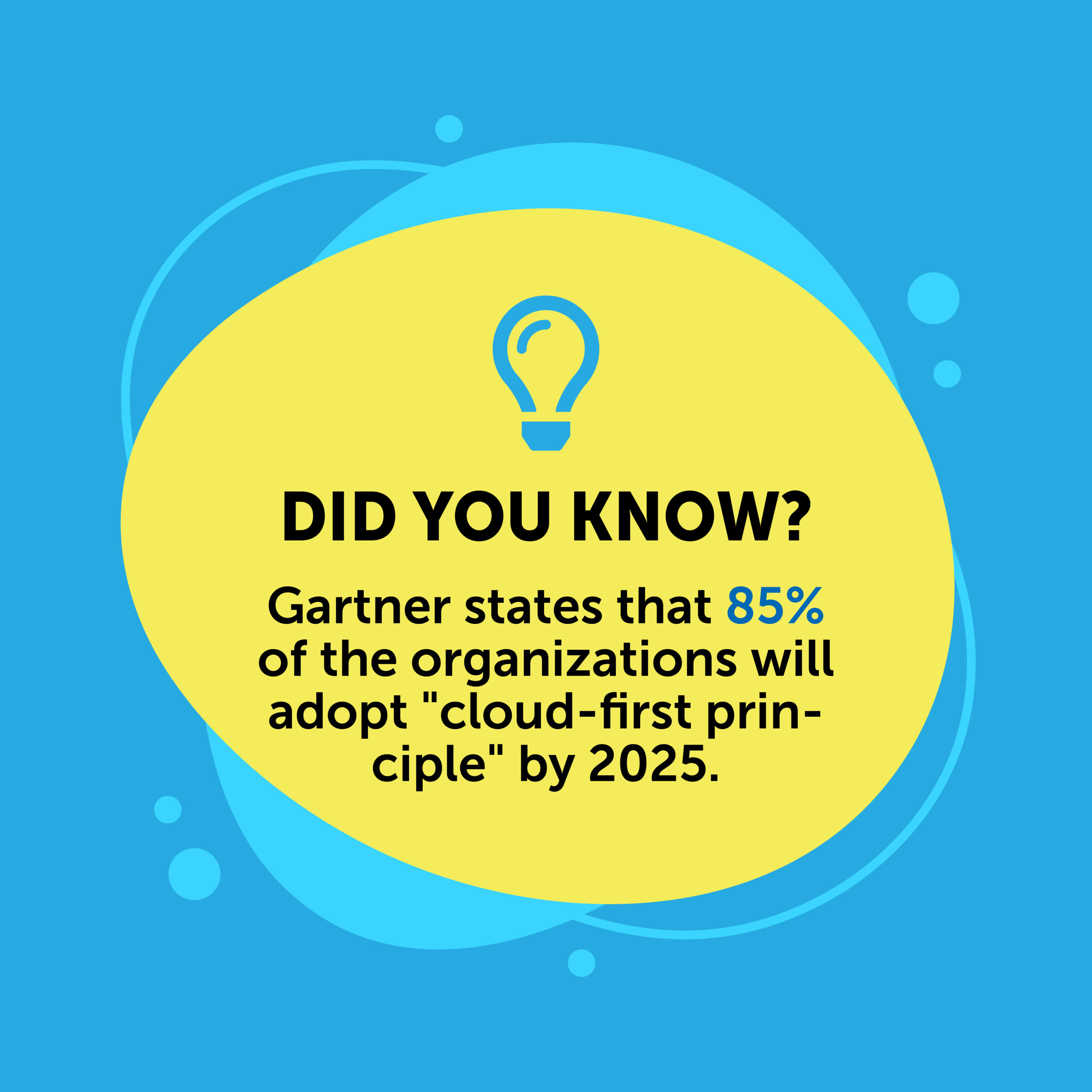
Further, legacy systems aren’t cloud-compatible. They block organizations from adopting a “Cloud First” strategy.
Maintaining legacy data centers is also costly and labor-intensive. It’s no surprise that many businesses are closing them and moving to the cloud.
Hosting your vital OpenVMS applications on the cloud reduces the cost and complexities of your data center. In fact, you can consolidate multiple legacy servers into a simple virtual machine. Cloud offers scalability. You can adjust computing power as your business grows. Additionally, built-in back-ups and failovers keep your system running smoothly.
When it comes to extending the life of your business applications based on OpenVMS operating systems, you have three choices:
The first option comes with the typical mindset: “I won’t change it until it actually fails”. This is when you remain in your comfort zone while the risks are increasing exponentially every day.
The second option involves changing the codebase. Some of the strategies include rewriting, replatforming, rearchitecting, and so forth. They are all time-consuming and labor-intensive. And these projects can cost you millions of dollars.
Here is the thing: most legacy applications do not require any changes. They have been running critical operations for decades. There are millions of lines of code in them. In fact, they are so deeply integrated into the business that changing them can be very risky.
This is where the third option emerges as a low-cost, low-effort alternative to typical application migration projects. Why not run your OpenVMS applications without relying on end-of-life (EOL) VAX or AlphaServers?
Stromasys Charon emulates legacy hardware (DEC VAX and Alpha) on modern x86 systems. Therefore, you can migrate your legacy applications from EOL hardware to an emulated version of the old hardware.
It’s very simple. Charon simply copies your legacy programs & data and moves them to the emulated host. As a result, you can continue your operations as you always used to do.
It is cloud-agnostic, meaning it is compatible with all major cloud platforms such as Azure, AWS, Oracle, and Google. You can select any cloud provider you prefer to run your applications on.
| What’s Unchanged? | What’s Changed? |
|---|---|
|
|
Once you deploy Charon emulator for shifting your OpenVMS workloads to a cloud platgorm of your choice, you can experience a range of benefits.
Old hardware like Alpha or VAX comes with numerous challenges. Be it budget, effort or keeping the business applications running, aging servers make it difficult.
Running your OpenVMS programs on cloud through Stromasys solves this problem. It addresses your pain point (legacy hardware) right away.
As it replaces your hardware with modern cloud, your dependency on aging hardware gets eliminated. Your mission-critical applications can live on, safe from hardware failure.
At some time, there will be no spare parts for these systems. In most cases, the systems are not supported by the manufacturer, and their supply diminishes with the decreasing viability of producing third-party parts economically. Once the parts go out of circulation, the application cannot run anymore.
Thankfully, through Stromasys Charon, the old servers are removed from the IT setup, thus there is no need to find spare parts.
Legacy systems often lack security patches. This makes the applications vulnerable to cyberattacks. Stromasys Charon addresses this issue at its core by removing the risky hardware.
Hence, you can enjoy the following benefits:
When using a cloud instance, the biggest hurdle can be migrating the backup of the operating system, application, and data to the cloud prior to restoration to the new emulated hardware.
It can take a while to move large amounts of data over a WAN connection. Each cloud provider has alternative methods for migrating data that can help with the process.
One option is to use a physical device to transfer files to the cloud provider for restoration. This method is much faster than using a WAN connection.
Apart from that, other considerations include:
It is made easier by the fact that Stromasys’ Charon product is provider agnostic. Consider costs, existing relationships with cloud providers, security options, and company requirements when choosing a provider.
This configuration influences the cost of the emulated system, as it uses resources. Selecting the CPUs, memory, storage, and other options should be done with care, to ensure that the new system is capable of handling the load imposed by the mission. Rather than just configuring the emulated system exactly like the legacy system, this is a time to right-size resources, adding or subtracting to get the best performance while containing cost.
For backup restoration on the new platform requires careful planning. Some of these systems have large data sets, which can take significant time to transfer over a WAN connection. Look at options and choose one that will meet project objectives and timelines.
Ensure that the security requirements of the organization can be maintained, and that the pathways needed for connection to the cloud provider can be met. Consider the number of users and available bandwidth, as well, to ensure satisfactory performance of the application.
Once the new system is live, make sure that it works as planned. The test plan will be followed to ensure that functionality continues to perform as expected. Create test cases based on common and uncommon functions that users must perform, document how those cases can be tested, perform the test on the original system before migration, then conduct the tests on the new system and compare results.
Now that you know how OpenVMS cloud migration works with Stromasys Charon (and the tested benefits), it’s time to take action. Waiting does not bring any fruitful results. In fact, the costs and risks will eventually add up, taking a toll on your budget and business continuity.
Still on the fence? Seek expert help. The Stromasys team consists of engineers, legacy migration advisors, and SMEs with proven industry experience. No one in the market holds more experience than we do.
References:
The most common OpenVMS cloud migration challenges include large data transfers over WAN, aligning OpenVMS legacy architectures with modern cloud infrastructure, security standards compliance and making sure that the emulated hardware is capable of efficiently handling the existing system workload.

Mergers and acquisitions (M&A) promise business growth and market expansion, but their core value derives...
Read More
OpenVMS, or Open Virtual Memory System, is a secure and reliable multi-user OS initially developed...
Read More
OpenVMS or (VMS Virtual Memory System) was formerly known as VAX VMS (Virtual Address eXtension/Virtual...
Read More