
×

 How to run the HP-UX OS on a modern x86 system?
The HP-UX operating system was never designed to run natively on x86 hardware. It was basically designed to operate on HP’s PA-RISC hardware. Today, organizations can still run HP-UX applications on modern x86 systems with a legacy modernization approach known as hardware emulation. It is a legacy application migration strategy in which it mimics the behavior of the legacy hardware, i.e., PA-RISC, without any modifications and expensive rewrites. This eliminates the legacy hardware risks and costly maintenance costs. Migrating HP-UX to x86 improves performance, scalability, and agility, while preserving business-critical applications. This legacy modernization approach is a cost-effective path to maintain business continuity with innovation.
 Articles

Running HP-UX on x86 hardware involves more than just compatibility. Align your modernization efforts with your business objectives. This article will help guide you. First, let’s explore this:
Porting it to Itanium had to happen due to the decision to outsource chip development to Intel. During that transition, there were attempts to port it to the X86 architecture.
Project Blackbird and Redwood were HP’s hidden plan to carry out this porting. These initiatives also had financial support.
Despite initial progress, these projects were ultimately cancelled due to:
Insiders say the Intel 486 machine ran for 6 months without any promising results. Some key components of the OS could not run natively on either X86 or Integrity family CPUs. This limitation was due to the push for Integrity (also known as Itanium).
The platform required emulators for those components. They never developed the same emulators on X86. The chipset was much less powerful at that time.
HP-UX applications have been running on aging PA-RISC for ages. This creates operational challenges and limits integration with modern platforms. As a result, organizations cannot address critical business needs and work towards future growth.
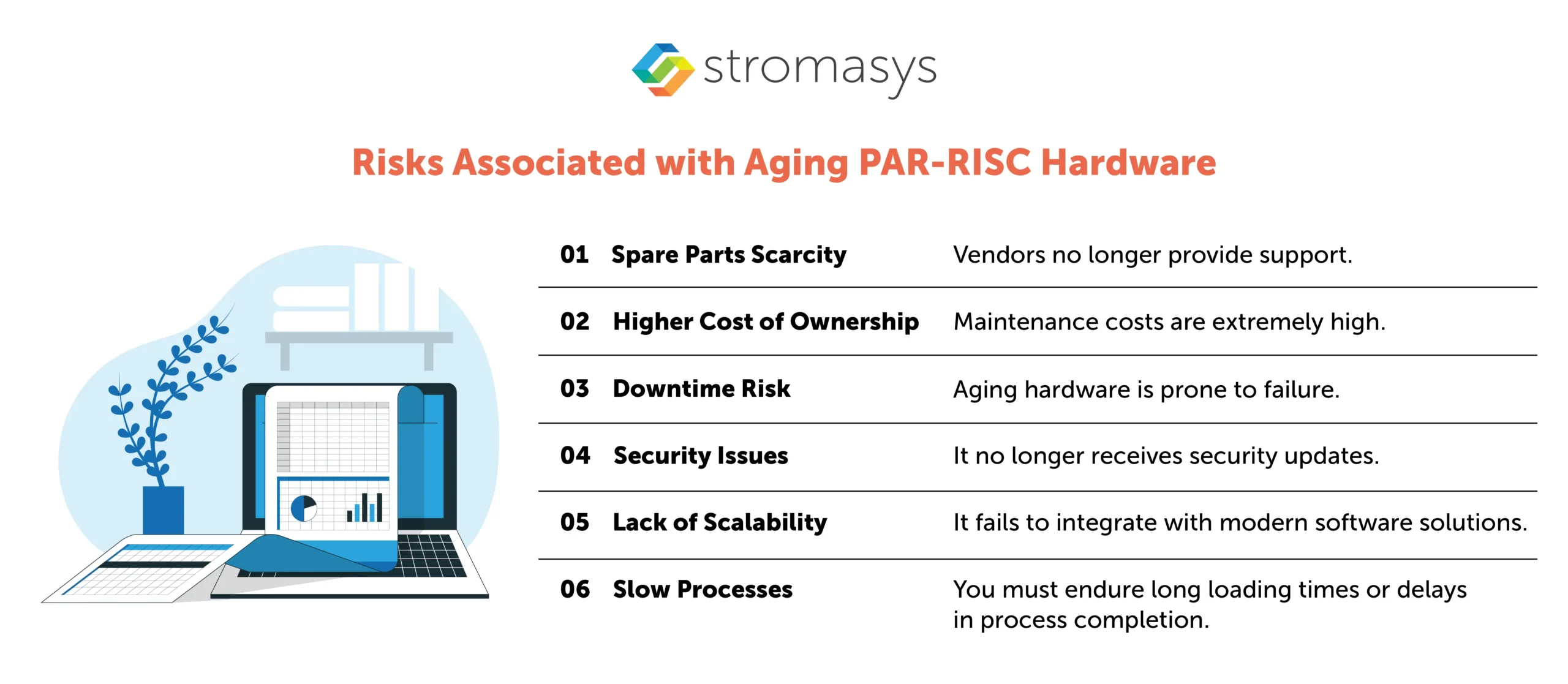
Consider it: every minute spent on old hardware is a lost chance for business transformation. How long can your business afford to take this risk?
Before deciding to upgrade, organizations frequently assess the benefits and drawbacks. Below, we have described the key differences between keeping aging PA-RISC hardware and migrating HP-UX to a modern x86 environment.
| Factor | HP-UX on Aging Hardware | HP-UX on x86 Hardware |
|---|---|---|
| Cost Reduction | High maintenance and repair costs. | Affordable and energy efficient. |
| Performance | Struggles to handle growing workloads. | Capable of managing intensive tasks. |
| Failure Risks | Prone to hardware obsolescence failures. | Minimizes downtime risks. |
| Cloud Compatibility | Limited or nonexistent capabilities. | Seamlessly integrates with VMware, AWS, Azure, and others. |
| Scalability | Rigid, static infrastructure. | Scales easily with VMs and containers. |
| Security | Lacks modern defense protocols. | Equipped with advanced safeguards. |
Many businesses feel overwhelmed when considering a legacy migration project. Rewriting or rearchitecting applications sounds like a massive, costly project. That’s why the lift and shift approach is such a game-changer.
Hardware emulation, or lift and shift, replicates the hardware environment and creates a similar environment on a modern platform. This way, dependent applications can run on modern x86 platforms or in the cloud without the need for aging hardware.
With hardware emulation, mission-critical HP-UX applications can run on x86 platforms, offering transformative advantages like:
This way, enterprises can enjoy all the benefits of modern x86 infrastructure without the headache of starting from scratch.
Transitioning legacy systems doesn’t have to be hard.
When it comes to updating legacy applications, Stromasys is a world leader. With more than 20 years of experience, Stromasys engineered Charon emulator has already revolutionized hundreds of organizations by ensuring that HP-UX runs smoothly on contemporary x86 systems and mitigating the risks of aging hardware.
Here’s what makes Stromasys stand out:
How long can businesses rely on aging, unsupported hardware? Operational risks increase every day, while opportunities for innovation slip by. Modernizing your HP-UX environment by migrating to x86 is not just a future-proofing measure. It’s a bold step toward improved scalability, cost efficiency, and enterprise agility.
The question is no longer whether you should modernize, but how soon? If you’re ready to retain the power of HP-UX while unlocking the performance of modern systems, Stromasys is here to support you.
HP has stated that they will no longer support HP-UX. The support for HPE Integrity Server is ending soon this year.


The corporate IT landscape is evolving rapidly, presenting significant challenges for businesses. One major issue...
Read More
Did you know that the NASA/ESA Solar Orbiter mission launched in 2020 is powered by...
Read More
Are you looking to eliminate the risks associated with your HP 9000 PA-RISC systems? If...
Read More