
×

 WHAT DO YOU UNDERSTAND BY INTEGRATING AI INTO LEGACY SYSTEMS, AND HOW SHOULD ENTERPRISES APPROACH IT?
AI integration in a legacy system is the process of embedding artificial intelligence capabilities, such as machine learning, natural language processing, automation, or predictive analytics, into the existing infrastructure of the business. Their primary goal is to extend the life of legacy systems by adding a layer of modern intelligence on top of them. This enables enterprises to gain AI-driven insights without any expensive full system overhaul.
While AI integration improves the efficiency and minimizes the time taken for the migration process. It elevates the legacy infrastructure and makes it increasingly feasible, the process carries several risks, such as data quality gaps, API incompatibilities, performance bottlenecks, security vulnerabilities, and governance gaps, which can derail integration efforts. The success of the project completely depends on stabilizing the underlying infrastructure first, modernizing the data layer, and introducing AI capabilities in controlled phases. Organizations that understand this complexity and address these challenges systematically can efficiently transform their infrastructure and gain a long-term competitive advantage, while those that rush into AI integration can risk compounding existing technical debt.
 Article

AI integration is not an easy process; it’s complex, but it does not mean it’s impossible. It is just that the existing systems are designed on a monolithic architecture built in a different era, under different assumptions, with different priorities.
So, just introducing AI into the infrastructure is not enough to leverage its benefits. Without a proper procedure for integrating AI in legacy systems, it will just load dependencies, risks, and, in some cases, a false sense of modernization that delays the harder decisions enterprises eventually need to make.
So, here is a guide that will help you understand how to seamlessly incorporate AI into your legacy system transformation. You will deep dive into the challenges and best practices for a smooth migration.
The pressure of competition is high, and businesses’ stance towards AI is clear. AI gives a competitive edge while enhancing the efficiency of the operations. Based on the McKinsey report, AI will deliver $13 trillion in additional global economic output by 2030, which will boost global GDP by about 1.2 percent a year. With enterprises that sit out in the AI era, there is a high chance they will fall behind in cost efficiency, prompt customer service, and decision-making speed.
Did you know? COBOL is used in processing nearly $3 trillion in daily financial transactions and nearly runs 95% of US ATM swipes. Mainframes, UNIX-based ERPs, and proprietary hardware platforms like SPARC, PA-RISC, VAX, and AlphaServers remain the operational backbone of industries from manufacturing to healthcare to government.
And a full infrastructure rip-and-replace isn’t realistic for most organizations. They will take a lot of time and cost millions while disrupting the operation, and businesses don’t have that luxury. So, AI integration as a middle path is understandable to smooth the process of legacy modernization.
Here is how AI helps in smoothing the migration process:
The problem is that “bolting on” AI without addressing what’s underneath can create new incompatibilities while giving the illusion of progress. Research shows 73.4% of enterprises opt for AI-ERP integration but face timeline delays and high failure risks due to data issues.
Here are 7 significant challenges that enterprises need to be aware of while integrating AI into their legacy systems:
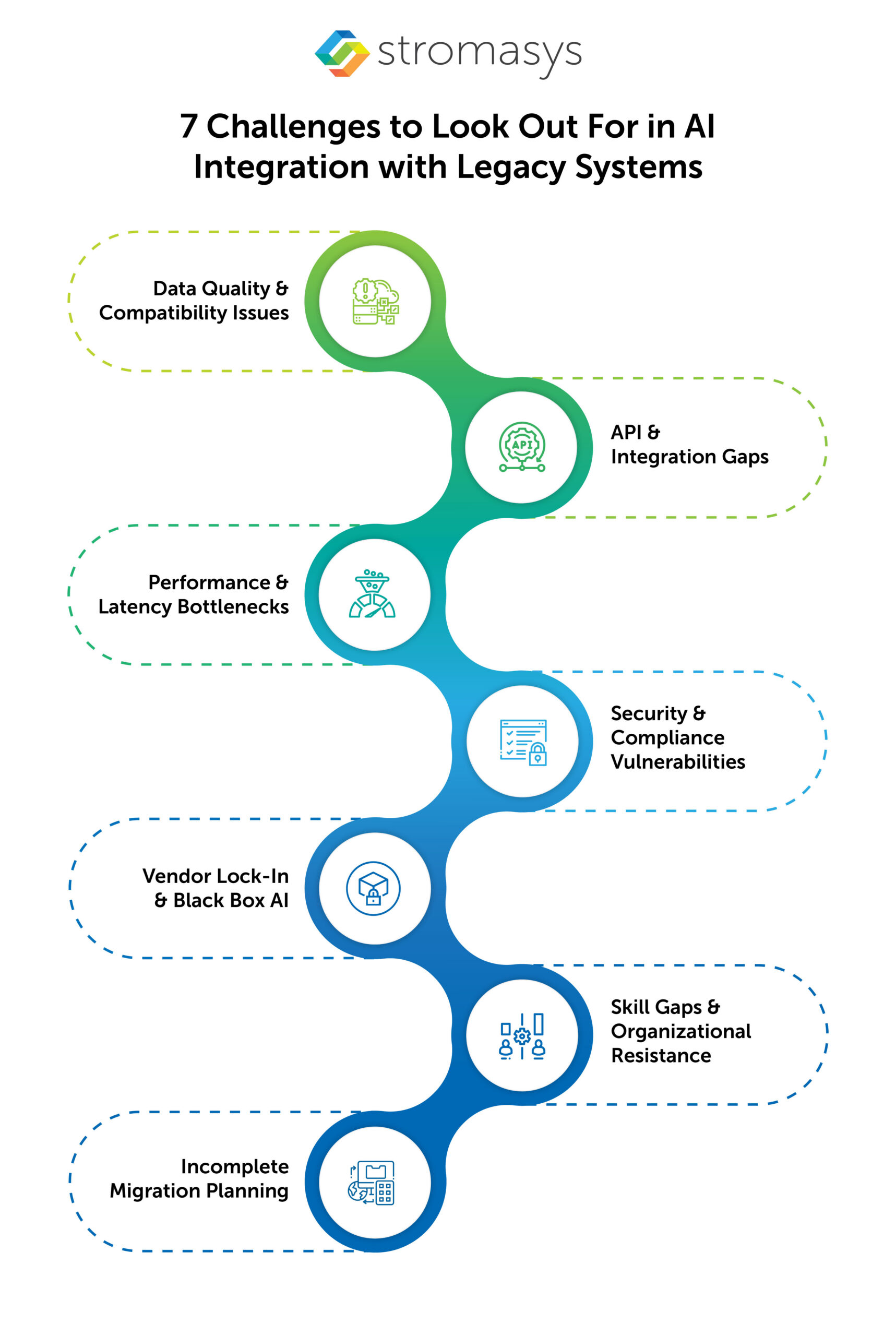
AI models can only be as good as the data they’re trained on. And data silos are a big challenge for legacy systems due to their inconsistent environment. These legacy data are often neglected and stored in a non-standard format, incomplete records, or poor quality.
Therefore, before any AI layer goes live, organizations need to conduct a rigorous data audit. This should include the current status of the data stored, how it is stored, why it is stored, how clean it is, and whether it is relevant or not.
Modern AI tools are built to connect via REST APIs, cloud-native interfaces, and event-driven architectures. Legacy systems are designed on an outdated framework, meaning they don’t often speak any of these languages natively.
Legacy applications like COBOL running on mainframes or older ERP solutions operating on proprietary platforms require significant middleware investment to integrate with AI. But middleware can also introduce multiple challenges like latency, failure points, version dependency, and cost. The hidden cost isn’t just about the ongoing maintenance burden of keeping that middleware layer functional. This is due to both the legacy system and the AI platform evolving independently.
Legacy hardware was optimized for batch processing, which means running large workloads sequentially. Legacy hardware struggles with AI inference, especially for real-time use cases. This includes fraud detection, dynamic pricing, or conversational interfaces, which demand low-latency, high-throughput processing that older infrastructure is unable to deliver due to its monolithic framework.
Security debt is one of the significant challenges of the legacy system. Many of the older operating systems and legacy applications have become obsolete, which means they may no longer receive patches. Encryption standards that are being used may have become outdated. Access controls are not up to modern standards.
And integrating with AI won’t just solve the problem but bring new ones as it adds to the new attack surfaces. Data flowing between the legacy system and an AI model or cloud platform creates exposure zones, and if the infrastructure is not secure, then it can result in a breach. If that data contains sensitive information like health information, financial records, or personal identifiers, it can create major compliance risks under regulations like HIPAA, GDPR, and SOX. Introducing AI technologies into these environments without a proper security plan can result in a data breach.
Many enterprises try to resolve the integration problem by collaborating with third-party AI vendors who offer pre-built connectors and managed models. This helps in quickly moving the process and often means accepting a black box. It means the third-party AI tools layered on proprietary stacks create dependencies and explainability problems during audits.
This makes the auditing process, explaining model behavior to regulators, or switching vendors, extremely difficult. It can be very challenging for industries with auditability requirements like banking, insurance, and healthcare, as it becomes a compliance liability.
Legacy applications and workloads like COBOL, Fortran, and UNIX OS have been in operation for a decade. The engineers who understood these legacy workloads have aged and are now retiring. And, the new developers are the ones who have a deeper understanding of modern technologies like cloud and AI. This issue with knowledge transfer can be very challenging, hindering the smooth operations. It’s not just about the knowledge gap, but there is cultural resistance as well. Introducing new technologies to the teams who have maintained stable, critical systems for years may be wary of introducing something (modern technology like AI/ML) new into their already operational environment. Change management is not a soft concern but can result in a deployment risk.
Incomplete migration planning can be one of the most critical issues. AI integration is a complex task. If not properly carried out, it can cause problems during legacy migration. Organizations sometimes layer AI on top of aging infrastructure, thinking it is enough to leverage its benefits without acknowledging the fact that the infrastructure itself is hanging by a thread.
AI can mask symptoms by making a legacy system feel more efficient and capable. But it is a short-term solution; it won’t resolve the legacy infrastructure problem. Most of the legacy workloads are operating on obsolete hardware that is at high risk of failure. And it doesn’t resolve aging hardware dependencies, end-of-life operating systems, or the mounting cost of maintenance. If AI integration is not properly planned, then it can delay the migration planning for years, which will lead to the technical debt compounding. And eventually, modernization becomes harder and more expensive.
AI automation results in improved performance, but it demands enterprise-grade governance. The first step starts with compliance and security from the very beginning of every AI implementation initiative.
Here are some best practices for a seamless process:
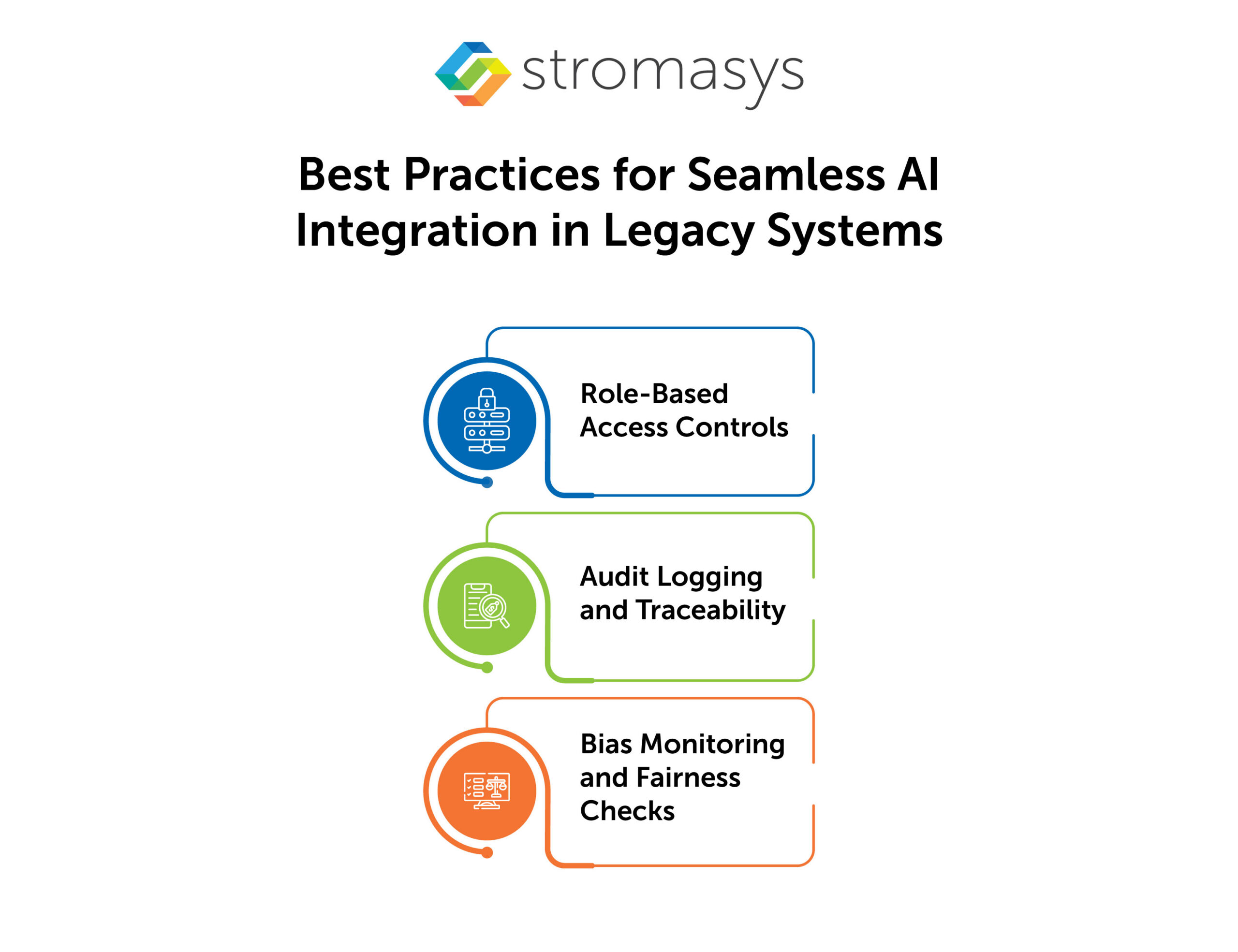
Align with recognized frameworks, such as NIST, ISO/IEC 42001, and industry-specific standards, to ensure that your business is secured and audit-ready as AI scales across your organization.
Mitigating challenges is crucial, but for long-term success, you need to plan your AI integration with your legacy systems efficiently and with a proper understanding. It requires a unified, strategic approach for seamless transformation.
Here are some steps that need to be followed for an easy transition:
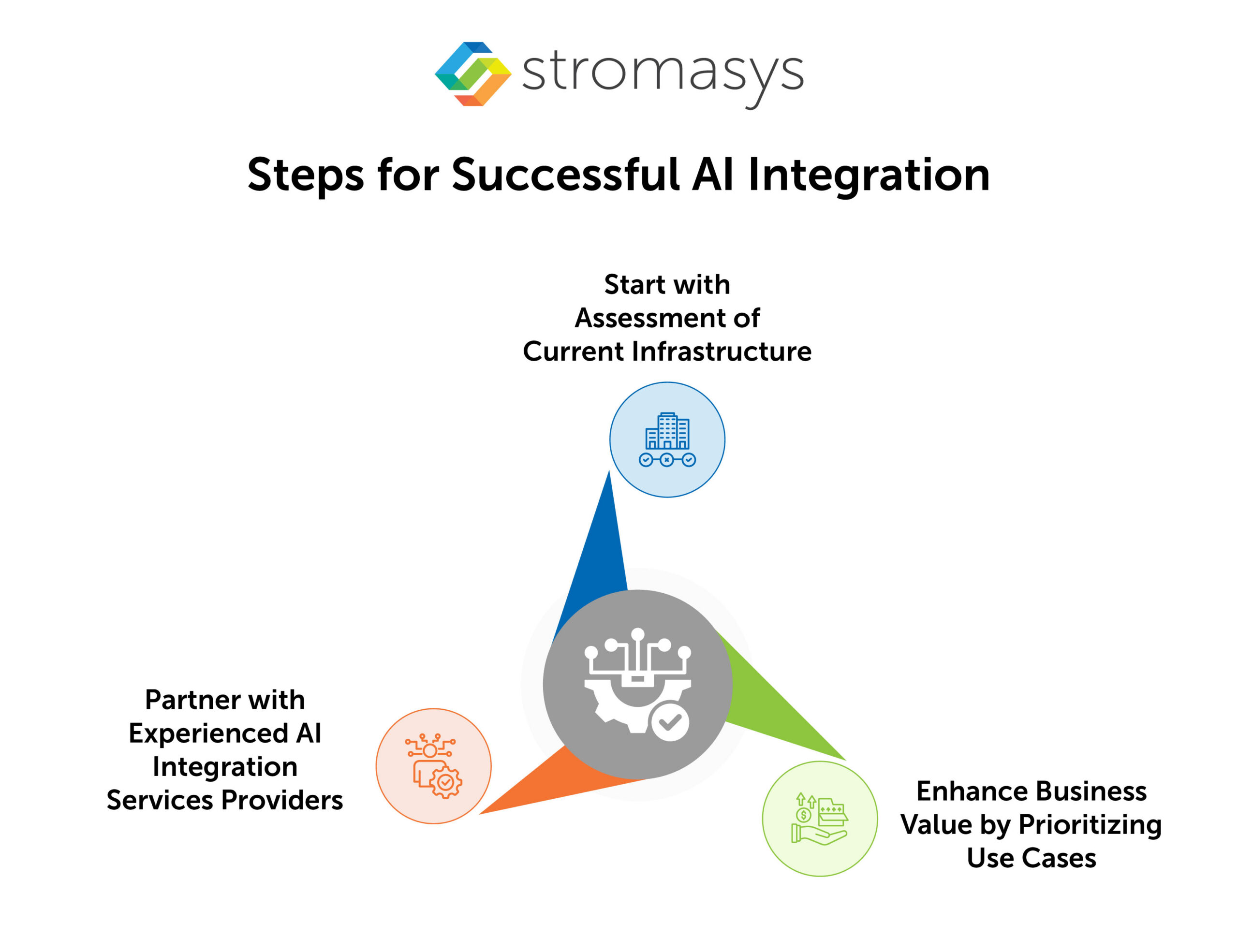
It is necessary to evaluate the current legacy infrastructure before integrating the AI model into the systems. Conducting a holistic review of the present data landscape, infrastructure, and governance posture will help in identifying the challenges that can hinder the migration process.
Rather than running behind the hype, it is best to understand your business and the demands of your clients. This will help in focusing on potential growth opportunities where AI business automation can create an impact while preventing any fraud, improving efficiency, or enhancing overall productivity. You need to align use cases with KPIs to drive support and innovation.
Enterprise-scale AI is not a simple process. It is highly recommended to partner with experts in AI integration services. This ensures your architecture, compliance model, and deployment strategy work without any hindrance.
Hardware emulation is a step that is often skipped when we talk about AI integration in legacy migration. But before planning to incorporate AI, you must stabilize your outdated environment.
Using AI in legacy applications means rewriting or rebuilding the outdated workloads, but what about the hardware they are running on? They are already obsolete and very expensive to maintain. This is where hardware emulation comes in. It is a strategic move to ensure that your AI legacy application migration process runs smoothly without any disruption and that there won’t be any last-mile challenges.
Legacy hardware emulation solutions like Charon by Stromasys replicate the behavior of legacy hardware like VAX, Alpha, SPARC, PA-RISC, and PDP-11 on a modern platform. This new platform can be on-premises, like modern x86, or in a cloud environment like AWS, Azure, OCI, and Google Cloud. This means the legacy workload continues operating exactly as before on a new platform that is capable of supporting modern AI integration for a smooth transition.
It is a hybrid approach, meaning the hardware emulation plus the AI integration in legacy systems. The process moves in a phased strategy that makes the data problem more tractable. Once the legacy workload is running on modern infrastructure, data extraction, standardization, and pipeline construction become more manageable. It doesn’t mean the complexity of middleware disappears, but it’s no longer compounded by hardware instability and end-of-lifecycle risk.
So, you can basically say that hardware emulation ensures that your AI integration in legacy systems is stable and ensures a smooth transition.
Yes, AI can be integrated into the COBOL mainframes, but it requires significant middleware investment. COBOL systems don't natively support modern APIs. So, data extraction layers and transformation pipelines are needed to make legacy data accessible to AI models.


The IT landscape is rapidly evolving, and businesses still running legacy hardware are facing numerous...
Read More
DEC Alpha hardware has been pivotal to many businesses due to its reliability, performance, and...
Read More
Legacy application migration is a new trending buzz of IT discussion. Businesses are migrating from...
Read More